What is EXIF Data & Why Remove It
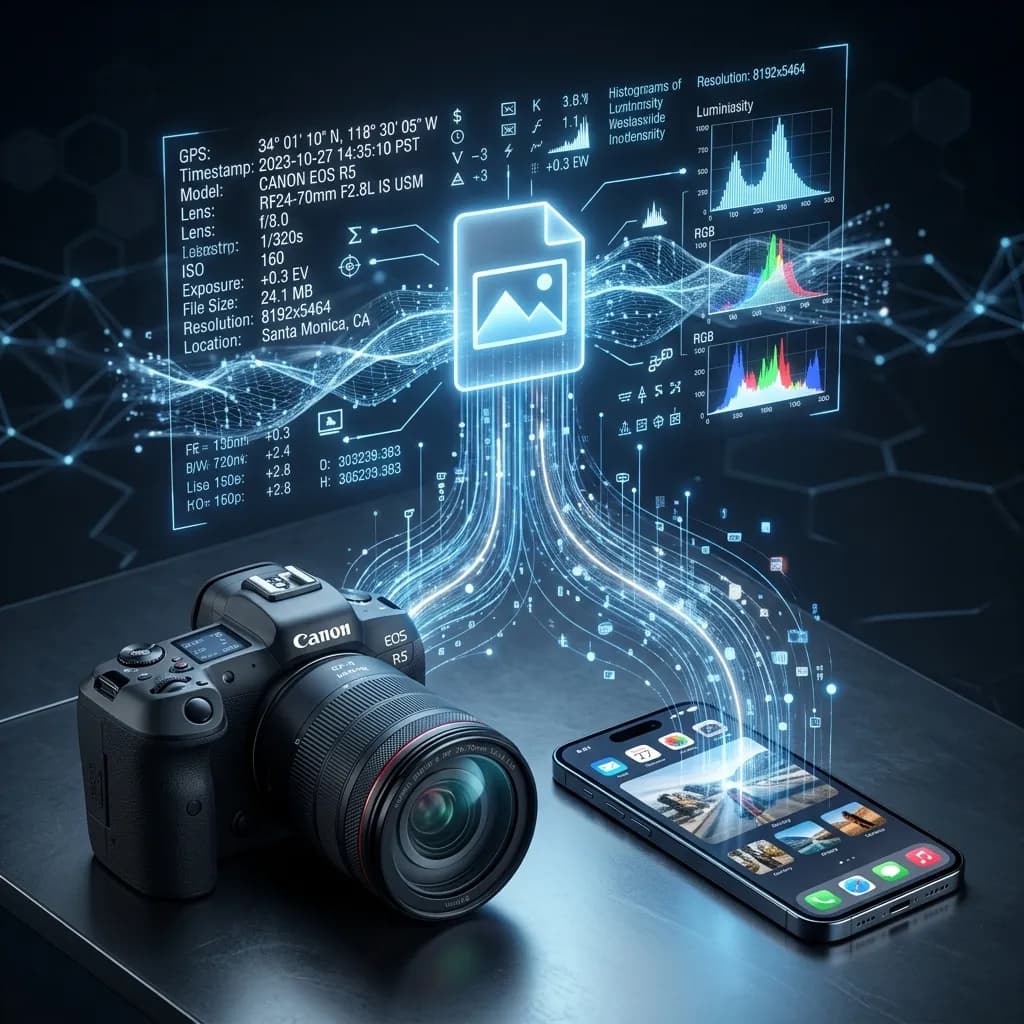
Most people believe that sharing a photo online is as simple and harmless as sharing a piece of art. What they don't realize is that every digital photo ever taken is accompanied by a hidden dossier of personal information—one that most social media platforms, messaging apps, and email clients pass along completely intact.
When you snap a picture of your morning coffee, your new car, or your office workspace, you are simultaneously recording a vast array of technical and personal data. This silent, invisible recording happens entirely in the background, out of sight and out of mind for the average consumer. In this comprehensive guide, we are going to explore exactly what is EXIF data, decode the specific fields hidden inside your daily snapshots, and explain the severe real-world security risks that arise when you fail to remove EXIF data before clicking "send".
  <h2>What Exactly is EXIF Data?</h2>
  <p>To understand how to protect yourself, you first need to understand the underlying technology. EXIF stands for Exchangeable Image File Format. It was originally created back in 1995 by JEIDA (the Japan Electronic Industries Development Association) as a way to standardize the information that early digital cameras were appending to image files. Today, EXIF 2.3 is the universally accepted standard, supported by virtually every digital camera, scanner, and smartphone on the market.</p>
  <p>This data is stored directly within the file header of your image. Because it resides in the header rather than the pixel array, it is entirely invisible during normal viewing. You can look at a photograph on a screen or print it on paper and never see a trace of the EXIF data hidden within its digital DNA.</p>
  <p>Broadly speaking, EXIF data is categorized into three distinct buckets:</p>
  <ol>
    <li><strong>Technical and Camera Data:</strong> Information detailing exactly how the photo was exposed, including the aperture, shutter speed, ISO settings, focal length, and whether a flash was fired.</li>
    <li><strong>Device Data:</strong> Hardware identifiers including the specific camera make and model, the attached lens type, the device's unique serial number, and the operating system software version.</li>
    <li><strong>Personal Data:</strong> Highly sensitive identifying markers including pinpoint GPS coordinates, down-to-the-second timestamps of when the shutter was pressed, and the author or copyright name registered to the device.</li>
  </ol>

  <h2>The Complete EXIF Data Table</h2>
  <p>While some fields are harmless, others pose severe threats to your privacy. Below is a comprehensive breakdown of the most common fields embedded in your image files, organized by the level of risk they introduce when shared publicly.</p>

  <div class="table-responsive my-4">
    <table class="table table-bordered">
      <thead class="table-light">
        <tr>
          <th>EXIF Field</th>
          <th>Category</th>
          <th>Example Value</th>
          <th>Who Can See It</th>
          <th>Privacy Risk Level</th>
        </tr>
      </thead>
      <tbody>
        <tr>
          <td>GPS Latitude</td>
          <td>Personal</td>
          <td>23.0225° N</td>
          <td>Anyone with file</td>
          <td>🔴 Critical</td>
        </tr>
        <tr>
          <td>GPS Longitude</td>
          <td>Personal</td>
          <td>72.5714° E</td>
          <td>Anyone with file</td>
          <td>🔴 Critical</td>
        </tr>
        <tr>
          <td>GPS Altitude</td>
          <td>Personal</td>
          <td>54m above sea level</td>
          <td>Anyone with file</td>
          <td>🔴 Critical</td>
        </tr>
        <tr>
          <td>Date/Time Original</td>
          <td>Personal</td>
          <td>2026-06-15 14:32:07</td>
          <td>Anyone with file</td>
          <td>🟠 High</td>
        </tr>
        <tr>
          <td>Camera Make</td>
          <td>Device</td>
          <td>Apple</td>
          <td>Anyone with file</td>
          <td>🟡 Medium</td>
        </tr>
        <tr>
          <td>Camera Model</td>
          <td>Device</td>
          <td>iPhone 15 Pro</td>
          <td>Anyone with file</td>
          <td>🟡 Medium</td>
        </tr>
        <tr>
          <td>Serial Number</td>
          <td>Device</td>
          <td>C02XL0JYJGH8</td>
          <td>Anyone with file</td>
          <td>🟠 High</td>
        </tr>
        <tr>
          <td>Software</td>
          <td>Device</td>
          <td>iOS 18.1</td>
          <td>Anyone with file</td>
          <td>🟡 Medium</td>
        </tr>
        <tr>
          <td>Artist/Author</td>
          <td>Personal</td>
          <td>John Smith</td>
          <td>Anyone with file</td>
          <td>🟠 High</td>
        </tr>
        <tr>
          <td>Copyright</td>
          <td>Personal</td>
          <td>© John Smith 2026</td>
          <td>Anyone with file</td>
          <td>🟡 Medium</td>
        </tr>
        <tr>
          <td>Shutter Speed</td>
          <td>Technical</td>
          <td>1/500s</td>
          <td>Anyone with file</td>
          <td>🟢 Low</td>
        </tr>
        <tr>
          <td>Aperture</td>
          <td>Technical</td>
          <td>f/1.8</td>
          <td>Anyone with file</td>
          <td>🟢 Low</td>
        </tr>
        <tr>
          <td>ISO</td>
          <td>Technical</td>
          <td>400</td>
          <td>Anyone with file</td>
          <td>🟢 Low</td>
        </tr>
        <tr>
          <td>Flash</td>
          <td>Technical</td>
          <td>No flash</td>
          <td>Anyone with file</td>
          <td>🟢 Low</td>
        </tr>
      </tbody>
    </table>
  </div>

  <h2>Real-World Privacy Risks</h2>
  <p>Understanding what is EXIF data is only the first step; grasping how bad actors exploit it is crucial for digital survival. The risks extend far beyond simple location tracking.</p>
  <p><strong>Stalking and Physical Safety</strong><br>
  The most immediate and terrifying risk comes from GPS data. When you post a photo of your new living room setup to a niche hobby forum, the embedded coordinates provide an exact roadmap to your front door. Stalkers routinely utilize metadata from seemingly innocuous photos to pinpoint targets, determine where they live, or figure out where they are currently vacationing while their homes remain empty.</p>
  <p><strong>Device Fingerprinting</strong><br>
  Every smartphone and digital camera has a unique serial number. When this number is combined with a specific camera model in your EXIF data, it creates a highly unique "device fingerprint". Law enforcement agencies use this technique to link anonymous photos uploaded across different websites back to a single device. Unfortunately, malicious actors use the exact same technique to track users across multiple platforms and unmask anonymous forum accounts.</p>
  <p><strong>Pattern of Life Analysis</strong><br>
  Timestamps might seem harmless on their own, but when aggregated from multiple photos, they reveal a profound pattern of life. If you share photos over a period of weeks, a bad actor can quickly establish that you leave your house at 8:00 AM, arrive at the gym at 6:00 PM, and typically go to bed by 11:00 PM.</p>
  <p><strong>Identity Exposure and Whistleblower Risk</strong><br>
  The "Author" or "Artist" field in EXIF data is often auto-populated from the user profile registered during the device's initial setup. If you attempt to anonymously leak a document by taking a picture of it, this field will instantly betray your identity. In fact, there have been numerous high-profile real-world cases where journalists and whistleblowers were compromised because they failed to properly utilize a secure <a href="/remove-exif-metadata">Remove EXIF Metadata</a> tool before publishing sensitive imagery.</p>

  <h2>Which Apps and Platforms Strip EXIF Automatically?</h2>
  <p>Many users falsely assume that the platforms they use automatically protect them. The reality is incredibly fragmented. To maintain true privacy, you must understand the <a href="/remove-exif-metadata">Privacy Image Metadata</a> policies of the specific apps you use daily.</p>
  <p>Here is a breakdown of how the most popular platforms handle your hidden data:</p>

  <div class="table-responsive my-4">
    <table class="table table-bordered">
      <thead class="table-light">
        <tr>
          <th>Platform</th>
          <th>Strips GPS?</th>
          <th>Strips All EXIF?</th>
          <th>Notes</th>
        </tr>
      </thead>
      <tbody>
        <tr>
          <td>Instagram</td>
          <td>✅ Yes</td>
          <td>✅ Yes</td>
          <td>Strips on upload</td>
        </tr>
        <tr>
          <td>Facebook</td>
          <td>✅ Yes</td>
          <td>✅ Yes</td>
          <td>Strips on upload</td>
        </tr>
        <tr>
          <td>Twitter/X</td>
          <td>✅ Yes</td>
          <td>✅ Yes</td>
          <td>Strips on upload</td>
        </tr>
        <tr>
          <td>WhatsApp (image)</td>
          <td>✅ Yes</td>
          <td>✅ Yes</td>
          <td>Compresses + strips</td>
        </tr>
        <tr>
          <td>WhatsApp (document)</td>
          <td>❌ No</td>
          <td>❌ No</td>
          <td>Sends original intact</td>
        </tr>
        <tr>
          <td>Telegram</td>
          <td>❌ No</td>
          <td>❌ No</td>
          <td>Sends original intact</td>
        </tr>
        <tr>
          <td>Email (Gmail/Outlook)</td>
          <td>❌ No</td>
          <td>❌ No</td>
          <td>Original attached</td>
        </tr>
        <tr>
          <td>Dropbox/Google Drive</td>
          <td>❌ No</td>
          <td>❌ No</td>
          <td>Stores original</td>
        </tr>
        <tr>
          <td>Reddit</td>
          <td>✅ Yes</td>
          <td>✅ Partial</td>
          <td>May retain some fields</td>
        </tr>
        <tr>
          <td>iMessage</td>
          <td>❌ No</td>
          <td>❌ No</td>
          <td>Original sent</td>
        </tr>
        <tr>
          <td>Slack</td>
          <td>✅ Yes</td>
          <td>✅ Partial</td>
          <td>Varies by file size</td>
        </tr>
      </tbody>
    </table>
  </div>
  <p>The key takeaway is simple: never rely on a third-party application to manage your privacy for you. A platform's internal policy can change overnight without your knowledge. Always strip the metadata yourself before the file leaves your device.</p>

  <h2>How to View Your Photo's EXIF Data</h2>
  <p>Before you wipe your files clean, it is often educational to see exactly what you are broadcasting to the world. Viewing this data requires no special software—your operating system already has the capability built-in.</p>
  <ul>
    <li><strong>On Windows:</strong> Right-click the image file, select "Properties", and navigate to the "Details" tab. Scroll down to see everything from the camera model to the exact GPS coordinates.</li>
    <li><strong>On macOS:</strong> Open the image in the native Preview app. Navigate to the "Tools" menu, select "Show Inspector", and click the "i" tab.</li>
    <li><strong>On iPhone:</strong> Open the Photos app, view a photo, and simply swipe up on the image. You will immediately see a map, the timestamp, and the lens information used to capture the shot.</li>
  </ul>
  <p>Once you physically see the sheer volume of personal data stored inside a simple picture, you will want to remove it immediately. (Note: PDF files have similar hidden metadata that requires scrubbing, which you can handle securely using a dedicated <a href="/strip-pdf-metadata">Strip PDF Metadata</a> tool).</p>

  <h2>How to Remove All EXIF Data</h2>
  <p>The fastest and most secure method to ensure your files are perfectly clean is by using the NoStorePDF <a href="/remove-exif-metadata">Remove EXIF Metadata</a> utility.</p>
  <p>Unlike basic scripts that merely delete the GPS coordinates and leave the serial number and author fields intact, our browser-based tool systematically scrubs every single piece of identifying metadata from the file header. Furthermore, because the tool runs entirely in your local browser memory, your photos are never uploaded to a third-party server, guaranteeing absolute privacy from start to finish.</p>
  <ol>
    <li><strong>Access the Utility:</strong> Open the <a href="/remove-exif-metadata">Remove EXIF Metadata</a> page in your browser.</li>
    <li><strong>Load the Photo:</strong> Drag and drop your image directly into the interface. Notice that the load is instantaneous because no data is being transferred over the internet.</li>
    <li><strong>Execute the Scrub:</strong> Click the removal button. The tool will rapidly rewrite the image header, permanently deleting the camera make, serial number, timestamps, author identifiers, and location tracking data.</li>
    <li><strong>Save the Clean File:</strong> Download the scrubbed image back to your device.</li>
  </ol>
  <p>If you are planning to host this clean image on a personal blog or website, you should take one final step and run it through our <a href="/image-compressor">Image Compressor</a> to ensure the file size is fully optimized for fast web loading.</p>

  <h2>Does Removing EXIF Affect Photo Quality?</h2>
  <p>This is the most common concern among photographers and general users alike, and the answer is an emphatic no.</p>
  <p>Because EXIF data is stored strictly in the file's header, it exists completely separate from the actual visual pixel data that makes up the picture. When you use a high-quality scrubbing tool to delete the metadata, it never touches, alters, or compresses the visible pixels. The visual quality of your photo remains 100% identical to the original shot. In fact, removing the metadata provides a slight benefit: your overall file size will actually decrease slightly, typically saving anywhere from 10 to 50 kilobytes per image.</p>

  <h2>Frequently Asked Questions</h2>
  <div>
    <div class="mb-3 mt-4">
      <h3 class="h5 fw-bold">What is the difference between EXIF data and metadata?</h3>
      <div>
        <p>Metadata is a broad term that simply means "data about data", which applies to any file type (like Word documents or PDFs). EXIF data is simply the specific, standardized type of metadata used specifically for digital image files. All EXIF data is metadata, but not all metadata is EXIF data.</p>
      </div>
    </div>
    <div class="mb-3">
      <h3 class="h5 fw-bold">Can EXIF data be faked or modified?</h3>
      <div>
        <p>Yes. Because EXIF data is just text stored in the file header, it can easily be edited or completely fabricated using specialized software. Therefore, while it can pose a privacy risk when leaked accidentally, it is not always a foolproof indicator of absolute truth when analyzed maliciously.</p>
      </div>
    </div>
    <div class="mb-3">
      <h3 class="h5 fw-bold">Does removing EXIF data make a photo untraceable?</h3>
      <div>
        <p>Removing EXIF data prevents tracking based on device serial numbers and GPS coordinates. However, it does not prevent visual tracking. If you take a picture in front of a famous landmark or a unique street sign, you can still be visually tracked regardless of what the metadata says.</p>
      </div>
    </div>
    <div class="mb-3">
      <h3 class="h5 fw-bold">Is EXIF data the same for all file formats (JPG, PNG, WebP)?</h3>
      <div>
        <p>No. EXIF is the native standard for JPG and TIFF files. Modern formats like WebP support EXIF data as well. However, traditional PNG files do not officially support standard EXIF data; they use different data chunks to store metadata, though the privacy risks remain identical.</p>
      </div>
    </div>
    <div class="mb-3">
      <h3 class="h5 fw-bold">Can EXIF data be used in legal proceedings?</h3>
      <div>
        <p>Yes. Law enforcement and legal teams frequently extract EXIF data to establish timelines, verify locations, and prove device ownership in criminal cases, copyright disputes, and civil lawsuits.</p>
      </div>
    </div>
    <div class="mb-3">
      <h3 class="h5 fw-bold">Do screenshots contain EXIF data?</h3>
      <div>
        <p>No. When you take a screenshot, your device is capturing the pixels on the screen, not operating a camera sensor. Therefore, screenshots do not contain traditional EXIF data like camera models, serial numbers, or GPS coordinates, though they may still contain a creation timestamp.</p>
      </div>
    </div>
  </div>

  <h2>Conclusion</h2>
  <p>EXIF data is a silent privacy risk that the vast majority of people have never even heard of. Every day, millions of users unknowingly broadcast their daily routines, hardware identifiers, and exact home addresses to the public internet simply by sharing pictures of their lives.</p>
  <p>Now that you fully understand what is EXIF data and the severe risks it poses, you have the power to protect yourself. Before you upload a photo to an unencrypted forum or email an attachment to a stranger, take five seconds to wipe the slate clean. Maintain your digital anonymity and ensure your pictures only reveal what you intend them to reveal by using our completely free, secure, and private <a href="/remove-exif-metadata">Remove EXIF Metadata</a> tool today.</p>