PDF
Merge PDF Online Free
Combine multiple PDFs into one document securely in your browser. Reorder pages, remove duplicates, and merge specific pages. 100% private, no uploads.
Use Tool
Loading...
We built NoStorePDF with a strict local-first architecture. It is the definitive privacy-first alternative to iLovePDF, Smallpdf, PDF24, and Adobe Acrobat Online. No hidden servers, no cloud storage, no compromised privacy.
Unlike traditional PDF editors, your files are never uploaded to any remote server. Every single byte remains on your computer throughout the entire process.
We have no databases storing your sensitive documents. Once you close your browser tab, all temporary local processing data is completely erased.
Powered by next-generation WebAssembly (WASM), we bring enterprise-grade processing logic directly into your browser for instant, secure execution.


Merge, split, compress, convert and edit PDFs and images directly in your browser. Your files never leave your device no account, no upload, no storage. The private alternative to iLovePDF, Smallpdf and Adobe Acrobat Online.
 All Tools
 Popular
 PDF
PDF Word
Word Excel
Excel Image
Image Video
Video Text
Text Developer
 Security
 Documents
 Design
 Utilities
Combine multiple PDFs into one document securely in your browser. Reorder pages, remove duplicates, and merge specific pages. 100% private, no uploads.
Compress PDF files online for free. Reduce PDF size while maintaining quality. Secure browser-based compression with no uploads required.
Split PDF files online for free. Extract pages, split by range, odd/even pages, bookmarks, file size, or custom sections. Browser-based and privacy-first.
Remove image backgrounds automatically with 100% privacy using local AI.
Compress images online and preserve photo quality. Reduce JPG, PNG, WEBP file size up to 80% without visible loss. No upload — runs in your browser.
Change image dimensions in pixels or percentage.
Convert JPG to PNG online for free. Enjoy lossless conversion while retaining quality and transparency. Privacy-first, browser-based processing.
Convert PNG to JPG online for free. Reduce file size without losing visible quality. Privacy-first, browser-based processing.
Convert PDF pages to JPG, PNG, or WEBP images online for free. Download all pages as a ZIP file with secure browser-based processing.
Format, beautify, and prettify JSON data with proper indentation.
Use our free QR Code Generator directly in your browser. 100% secure, offline-capable, and private. Generate a custom QR code from text or URL.
Count words, characters, sentences, and paragraphs in any text instantly.
Use our free Unit Converter directly in your browser. 100% secure, offline-capable, and private.
Convert HEIC to JPG online for free. Easily convert iPhone and Apple photos to universally supported JPEGs. Privacy-first, browser-based processing.
Compress MP4 and MOV videos to reduce file size instantly.
Combine multiple PDFs into one document securely. Reorder pages, remove duplicates, and merge specific pages entirely within your browser.
Advanced enterprise-grade PDF splitter. Extract specific pages, split by range, odd/even, or split every X pages securely in your browser.
Compress JPG, PNG, WEBP, AVIF, HEIC and other images online for free. Reduce image file size without noticeable quality loss using secure browser-based processing.
Convert JPG, PNG, and other images to PDF securely. Combine multiple images, adjust margins, set page sizes, and reorder without uploading.
Convert Word documents (.doc, .docx) to PDF securely in your browser. Complete local conversion preserving formatting without file uploads.
Convert Excel spreadsheets (.xls, .xlsx) to PDF securely. Browser-based sheet rendering and page layout configuration without uploads.
Extract text from images (JPG, PNG, WEBP) securely. High-accuracy browser-based optical character recognition (OCR) supporting multiple languages.
Convert PDF pages to high-quality JPG, PNG or WEBP images securely. Extract all pages or specific page ranges entirely in your browser.
Check, edit, add, remove and manage hyperlinks in PDF files online for free. Detect broken links, insert clickable URLs, highlight hyperlinks and edit PDF links directly in your browser.
Files never leave your browser
Process instantly
Military-grade security
PDF, Image & more
All processing happens in your browser. Your files never touch our servers — full GDPR compliance and military-grade security.
Leverage WebAssembly for near-native performance. Process large files in seconds, regardless of internet speed.

Everything you need to know about our privacy-first PDF tools.
No. All processing happens 100% in your browser using WebAssembly and local computation. Your files never leave your device.
NoStorePDF supports PDF, DOC, DOCX, JPEG, PNG, WEBP, HEIC, SVG, CSV, Excel and many more formats.
There are no hard limits since processing is local. Performance depends on your browser and device memory.
Open the Compress PDF tool, upload your file, choose a compression level, and click "Process Now". Done in seconds.
Yes, all tools are completely free. No hidden charges, no account required, and no limits.
See why thousands of users are switching to our private, browser-first tools.
"NoStorePDF is a lifesaver. The ability to bulk convert HEIC to JPG instantly without waiting for a server upload saves me hours every week."
"Privacy is paramount in my industry. Knowing that my clients' sensitive PDFs are merged completely locally in my browser gives me incredible peace of mind."
"I cancelled my Adobe subscription because of this site. The background remover is actually faster than Photoshop, and it costs literally zero dollars."
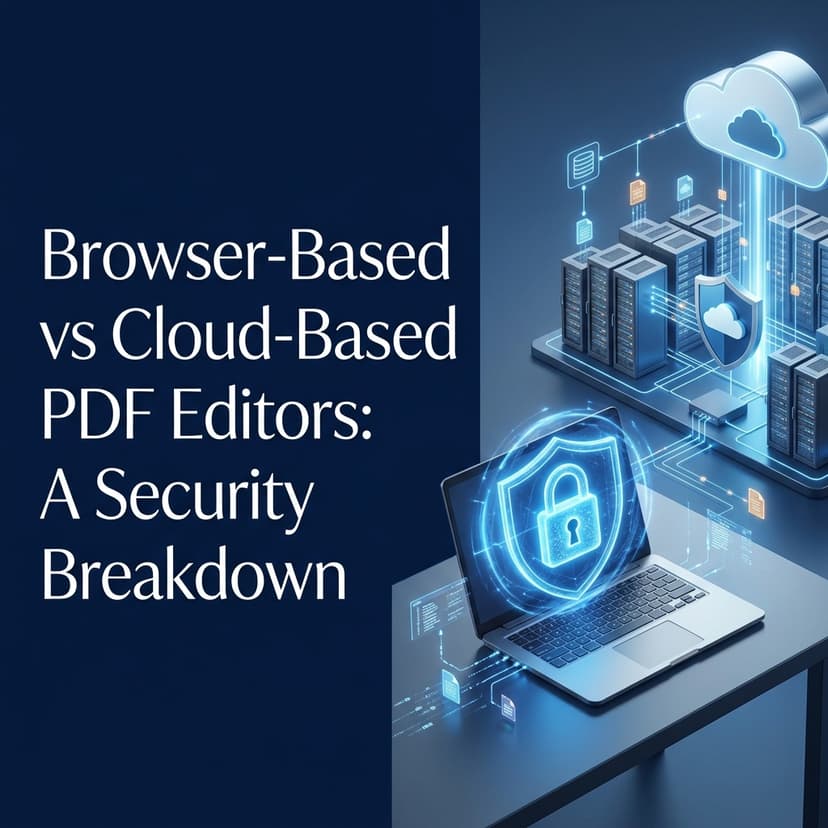
Why I built NoStorePDF to process files entirely in your browser memory, and what actually happens when you upload a sensitive document to a traditional cloud server.

Create a branded QR code with your logo for free. No sign-up, no watermark, 100% browser-based. Step-by-step guide with our privacy-first QR generator.

Tired of paying $20/month just to combine documents? Learn how to merge PDF files without Adobe Acrobat instantly and for free.
Join thousands of professionals who trust NoStorePDF for their document processing needs. Zero uploads. Zero wait time.
Merge, split, compress, convert and edit PDFs and images directly in your browser. Your files never leave your device no account, no upload, no storage. The private alternative to iLovePDF, Smallpdf and Adobe Acrobat Online.
Check, edit, add, remove and manage hyperlinks in PDF files online for free. Detect broken links, insert clickable URLs, highlight hyperlinks and edit PDF links directly in your browser. No uploads. No storage. 100% privacy-first.
Combine multiple PDFs into one document securely. Reorder pages, remove duplicates, and merge specific pages entirely within your browser.
Advanced enterprise-grade PDF splitter. Extract specific pages, split by range, odd/even, or split every X pages securely in your browser.
Convert JPG, PNG, and other images to PDF securely. Combine multiple images, adjust margins, set page sizes, and reorder without uploading.
Convert PNG images to PDF online for free. Combine multiple PNG files into one PDF with custom page sizes, orientation, and privacy-first browser processing.
Convert scanned images to PDF online for free. Scan documents, enhance quality, apply OCR, and create searchable PDFs securely in your browser.
Organize PDF pages online for free. Reorder, delete, rotate, extract, and rearrange PDF pages securely.
Add text or image watermarks to PDF files online for free. Customize position, opacity, rotation, and page ranges securely.
Add page numbers to PDF files online for free. Customize numbering style, position, format, and page ranges securely with browser-based processing.
Sign PDF documents online for free. Draw, type, or upload signatures and add them securely to PDFs using browser-based processing.
Protect PDF files online for free. Add passwords, control permissions, and encrypt documents securely with browser-based processing.
Unlock PDF files online for free. Remove passwords and restrictions from PDFs you own using secure browser-based processing. No uploads required.
Convert PDF pages to JPG, PNG, or WEBP images online for free. Download all pages as a ZIP file with secure browser-based processing.
Convert fillable forms, annotations, comments, and signatures into permanent static PDF content securely.
Generate high-quality PDF thumbnails online for free. Create preview images from any PDF page securely using browser-based processing.
Overlay custom text, annotations, and variables anywhere on your PDF securely. Process PDFs securely with completely private browser-based technology. No uploads required.
Reduce PDF file size securely. Optimize images, fonts, and streams directly in your browser.
Advanced enterprise-grade PDF text extractor with OCR. Extract text from specific pages, cleanup formatting, and export to TXT, DOCX, MD, or JSON securely in your browser.
Instantly count pages, estimate reading time, and analyze PDF statistics without uploading. Process PDFs securely with completely private browser-based technology. No uploads required.
Remove author names, dates, software info, and hidden metadata from PDFs securely. Process PDFs securely with completely private browser-based technology. No uploads required.
Recover embedded images in original quality and download them individually or as ZIP files.
Extract text from PDF documents. Process PDFs securely with completely private browser-based technology. No uploads required.
Remove all identifying metadata from your PDF files. Process PDFs securely with completely private browser-based technology. No uploads required.
Extract specific pages from PDF files online for free. Select individual pages or ranges securely. Process PDFs securely with completely private browser-based technology. No uploads required.
Insert an image into a PDF page.
Add a visual stamp to your PDF. Process PDFs securely with completely private browser-based technology. No uploads required.
Convert PDF documents to HTML format. Process PDFs securely with completely private browser-based technology. No uploads required.
Extract tables from PDF to CSV. Process PDFs securely with completely private browser-based technology. No uploads required.
Extract PDF data into XML format. Process PDFs securely with completely private browser-based technology. No uploads required.
Extract embedded fonts from a PDF. Process PDFs securely with completely private browser-based technology. No uploads required.
Convert PDF files to Markdown online for free. Preserve headings, tables, and formatting securely. Process PDFs securely with completely private browser-based technology. No uploads required.
Strip all images from a PDF.
Strip all text from a PDF, leaving only images/shapes.
Invert all colors in a PDF (Dark Mode). Process PDFs securely with completely private browser-based technology. No uploads required.
Optimize PDF files for faster web loading and browser viewing. Enable Fast Web View, reduce loading times, and improve PDF performance securely.
Compress JPG, PNG, WEBP, AVIF, HEIC and other images online for free. Reduce image file size without noticeable quality loss using secure browser-based processing.
Resize your images to exact pixel dimensions online for free. Scale photos up or down securely with browser-based processing. No uploads required.
Crop your images to any aspect ratio or custom dimensions online for free. Trim photos securely with browser-based processing. No uploads required.
Rotate or flip your images by any angle online for free. Correct photo orientation securely with browser-based processing. No uploads required.
Flip images horizontally or vertically.
Convert any image to black and white grayscale.
Apply adjustable blur effect to your images.
Enhance image clarity with sharpening filter.
Increase or decrease image brightness.
Fine-tune image contrast levels.
Convert SVG vector graphics to PNG images.
Convert SVG vector graphics to JPG images.
Convert SVG vector graphics to WebP images.
Strip all EXIF metadata from images for privacy.
Add text watermark to your images.
Generate multi-size favicons from any image.
Extract text from images using AI.
Remove image backgrounds instantly using local AI.
Convert JPG images to PNG format.
Convert PNG images to JPG format.
Convert WEBP images to JPG format.
Convert WEBP images to PNG format.
Convert AVIF images to JPG format.
Convert AVIF images to PNG format.
Convert HEIC/HEIF images to JPG format.
Convert HEIC/HEIF images to PNG format.
Convert JPG images to WEBP format.
Convert PNG images to WEBP format.
Convert TIFF images to JPG.
Convert TIFF images to PNG.
Convert BMP images to JPG.
Convert BMP images to PNG.
Convert Windows icons to PNG.
Convert PNG images to Windows icons.
Selectively remove specific colors from an image.
Add film grain or noise to an image.
Censor or pixelate an image.
Add realistic drop shadows to transparent PNG images instantly. Customize blur, opacity, distance, angle, and color directly in your browser. No uploads. No storage.
Count words, characters, sentences, and paragraphs.
Count characters with and without spaces.
Remove duplicate lines from text.
Sort text lines alphabetically or reverse.
Convert text case: upper, lower, title, sentence.
Clean extra spaces, blank lines, and whitespace.
Generate placeholder text for design and development.
Compare two texts and highlight differences.
Test regular expressions with live matching.
Compare two texts and highlight the differences.
Count the frequency of each character in text.
Convert any text into a URL-friendly slug.
Summarize text and documents using AI.
Check and fix grammar issues in your text.
Extract key terms and phrases from any text.
Format and prettify JSON data.
Validate JSON syntax and find errors.
Minify JSON by removing whitespace.
Convert JSON arrays to CSV format.
Convert CSV data to JSON format.
Encode text or data to Base64.
Decode Base64 strings to text.
Decode and inspect JWT tokens.
Generate SHA-256, SHA-1, and MD5 hashes.
Generate random UUID v4 identifiers.
Format and prettify XML data.
Convert XML to JSON format.
Convert YAML to JSON format.
Encode special characters to HTML entities.
Decode HTML entities back to normal characters.
Convert between Unix timestamps and human-readable dates.
Parse and explain cron expressions in plain English.
View your public IP address and browser details.
Convert JSON data to XML.
Check if JSON is valid and well-formed.
Check if XML is valid and well-formed.
Convert JSON data to YAML.
Convert CSV tables to XML.
Convert XML data to CSV tables.
Generate strong, random passwords.
Check how strong your password is.
Generate SHA-256 hash from text.
Generate MD5 hash from text.
Generate random strings with custom settings.
Encode text to Base32.
Decode Base32 strings.
Generate HMAC signatures.
Convert Word documents to PDF format. Process PDFs securely with completely private browser-based technology. No uploads required.
Convert Excel spreadsheets to PDF format. Process PDFs securely with completely private browser-based technology. No uploads required.
Convert CSV data to PDF table format. Process PDFs securely with completely private browser-based technology. No uploads required.
Convert plain text files to PDF documents. Process PDFs securely with completely private browser-based technology. No uploads required.
Convert Word documents to clean HTML code.
Extract plain text from Word documents.
Extract all images embedded inside a Word document.
Convert Excel spreadsheets to CSV format.
Convert Excel spreadsheets to JSON array format.
Convert Excel spreadsheets to HTML tables.
Convert CSV data to Excel spreadsheet.
Convert JSON arrays to Excel spreadsheet.
Merge multiple Excel files into one workbook.
Convert plain text to a Word document.
Extract each sheet of an Excel file as a separate file.
Change the delimiter of a CSV file (e.g., comma to semicolon).
View CSV files online in a clean table.
Compress multiple files into a single ZIP archive.
Unzip and extract files from a ZIP archive.
Re-compress an existing ZIP file to make it smaller.
Combine multiple ZIP archives into a single ZIP.
View the contents of a ZIP file without extracting.
Format and beautify HTML code.
Format and beautify CSS code.
Format and beautify JavaScript code.
Minify HTML code to reduce file size.
Minify CSS code to reduce file size.
Minify JavaScript code to reduce file size.
Parse URL and extract components (query, hash, path).
Convert Markdown text to HTML code.
Convert colors between HEX, RGB, HSL, and CMYK.
Encode text for URL parameters.
Decode URL encoded parameters.
Convert an image to a Base64 encoded string.
Convert a Base64 string back to an image file.
Clean and compress SVG files.
Generate a custom QR code from text or URL.
Create CSS gradient code visually.
Create CSS box-shadow code visually.
Generate harmonious color palettes from a base color.
Generate placeholder images with custom text and sizes.
Convert between common units of length, weight, temperature, and more.
Calculate your exact age in years, months, and days.
Calculate monthly EMI for loans with interest.
Calculate GST amount and total price with GST.
Calculate percentages, increases, decreases, and ratios.
Calculate your mutual fund SIP returns.
Calculate Fixed Deposit interest and maturity amount.
Calculate your Body Mass Index and health status.
Calculate the power of compounding on your investments.
Find out the final price after a discount is applied.
Calculate Return on Investment for your business or stock.
Calculate the Compound Annual Growth Rate of an investment.
Calculate your loan payments, interest, and schedule.
Calculate your gross profit and profit margin percentage.
Calculate simple interest earned on an investment or paid on a loan.
Add or subtract hours, minutes, and seconds.
Calculate the exact number of days between two dates.
Calculate the mean, median, and mode of a set of numbers.
Calculate the percentage increase from one value to another.
Calculate the percentage decrease from one value to another.
Solve or simplify ratios quickly.
Calculate your Grade Point Average (GPA).
Calculate your Cumulative Grade Point Average (CGPA).
Calculate fuel cost for your trip based on distance and efficiency.
Convert hourly, weekly, monthly, and annual salaries.
Calculate tips and split bills easily.
Calculate monthly mortgage payments with taxes and insurance.
Convert time between different time zones.
Convert numbers between binary, octal, decimal, and hexadecimal.
Convert text to speech using your browser's built-in voices.
Detect the true type of any file by reading its magic bytes.
Analyze file sizes and get detailed byte information.
Preview batch file renaming with patterns before downloading.
Convert MP4 video into an animated GIF.
Convert Apple MOV videos to MP4 format.
Convert WEBM videos to MP4 format.
Convert AVI videos to MP4 format.
Convert MKV videos to MP4 format.
Reduce video file size without losing much quality.
Trim or cut out parts of a video.
Remove the audio track from a video.
Rotate a video by 90, 180, or 270 degrees.
Change the resolution of a video (e.g., 1080p to 720p).
Play a video backwards.
Speed up or slow down a video.
Extract a specific frame from a video as an image.
Extract the audio track from a video file as MP3.
Convert MP4 video into an MP3 audio file.
Convert WAV audio to MP3 format.
Convert MP3 audio to uncompressed WAV format.
Convert AAC audio to MP3 format.
Reduce the file size of MP3 or WAV audio.
Cut or trim parts of an audio file.
Boost the volume of an audio file.
Speed up or slow down an audio file.