The Best Free Alternative to Photoshop for Background Removal
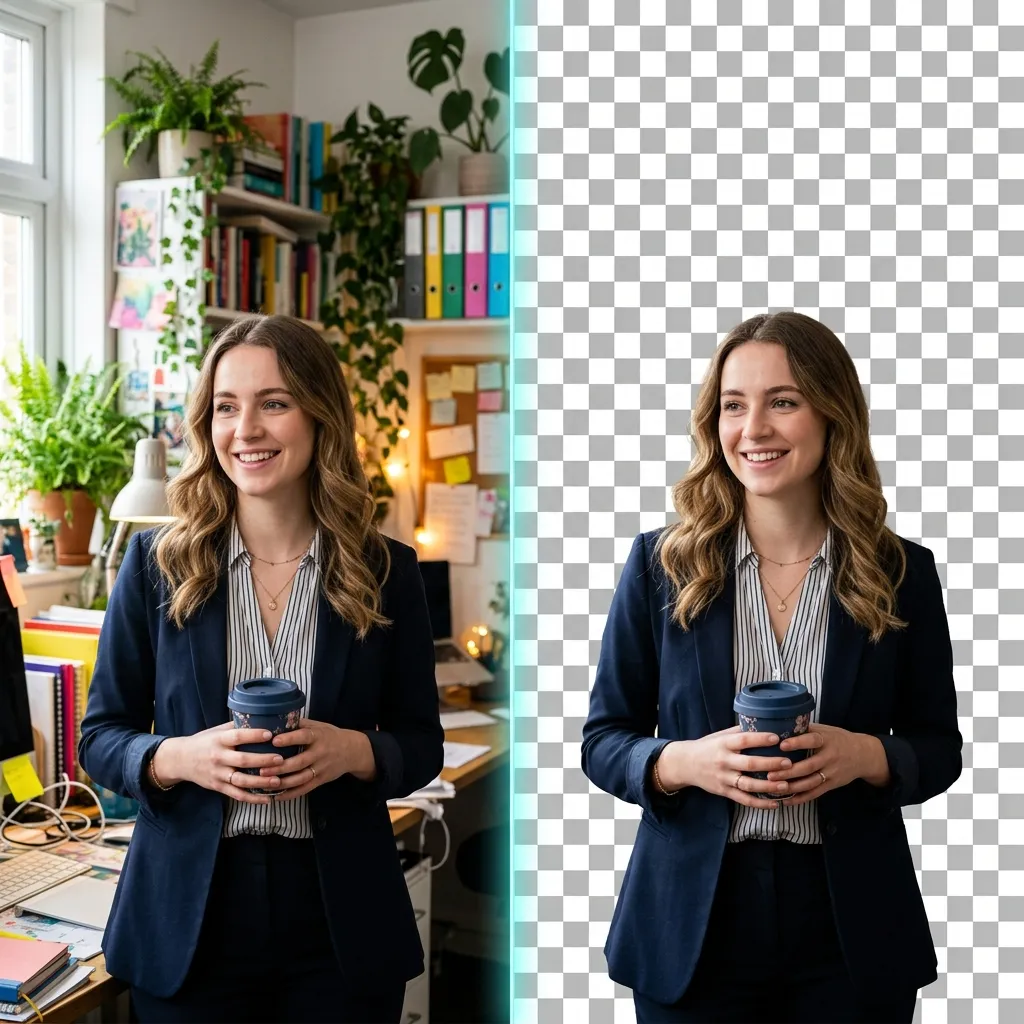
Adobe Photoshop is the undisputed king of professional image editing. But if you are a small business owner, a casual creator, or an e-commerce seller who simply needs to remove a messy background from a product photo, Photoshop is massive overkill. Paying for an entire suite of enterprise-grade creative tools just to execute one specific task is a massive drain on your budget.
Learning how to remove a background without Photoshop is one of the most valuable, cost-saving skills you can acquire. You do not need to be a graphic design expert to get a flawless cutout.
The True Cost of Adobe Photoshop
While Photoshop is incredibly powerful, it poses significant hurdles for users who just need to isolate a subject from its background:
- The Subscription Trap: The full Adobe Creative Cloud suite costs around $55 per month. Even the standalone photography plan is a recurring fee that adds up to hundreds of dollars a year. If you only occasionally need to edit photos, this ROI is terrible.
- The Learning Curve: Removing a background in Photoshop isn't a one-click process if you don't know what you're doing. You have to learn how to navigate the Magic Wand, the complex Pen Tool, layer masks, and the "Select and Mask" workspace.
- Hardware Constraints: Running a massive application like Photoshop requires a relatively modern computer with significant RAM. On older laptops, it can take minutes just to open the application.
Why You Should Switch to Dedicated Tools
If your primary goal is to isolate a subject, you should switch to a dedicated, single-purpose tool rather than relying on bloated software. Today, you can achieve the exact same professional results in seconds, completely free, directly in your web browser.
Our browser-based Background Remover tool is the perfect Photoshop alternative for this specific workflow. It strips away the complex interface, leaving only the feature you actually need: instant background extraction.
Ditch the Expensive Subscription
You don't need Photoshop to get a flawless cutout. Use our dedicated tool instantly in your browser.
Try the Free AlternativeHandling Complex Edges Without Photoshop's "Refine Edge"
The main reason professionals historically clung to Photoshop was its unparalleled ability to handle complex, semi-transparent edges, such as:
- Human hair (especially curly or frizzy textures)
- Animal fur and whiskers
- Leaves on trees and intricate foliage
A Photoshop designer would use the "Refine Edge" brush to carefully paint over these difficult areas, manually telling the software where the solid object ended. This process required significant time and practice to master.
Today, our free alternative matches this capability automatically. The local AI model has been specifically trained on hundreds of thousands of complex edge cases. When you drag and drop a photo with frizzy hair into the tool, it mathematically calculates the partial transparency of those edge pixels and blends them smoothly. You get the exact same "Refine Edge" quality without needing to manually paint anything.
Transitioning Your Workflow
Leaving the Adobe ecosystem doesn't mean your creative output has to suffer. Once you use our Background Remover to extract your subject, you can download the high-quality transparent PNG file and import it directly into other free or low-cost design tools like Canva, Figma, or even basic presentation software.
Conclusion
You no longer need to pay expensive monthly software subscriptions to create high-quality, professional imagery. The best alternative to Photoshop is a tool that does exactly what you need—nothing more, nothing less. By utilizing a dedicated, browser-based solution, you save money, save time, and eliminate the frustration of navigating complex enterprise software.