JSON Formatter Online: Format & Validate JSON
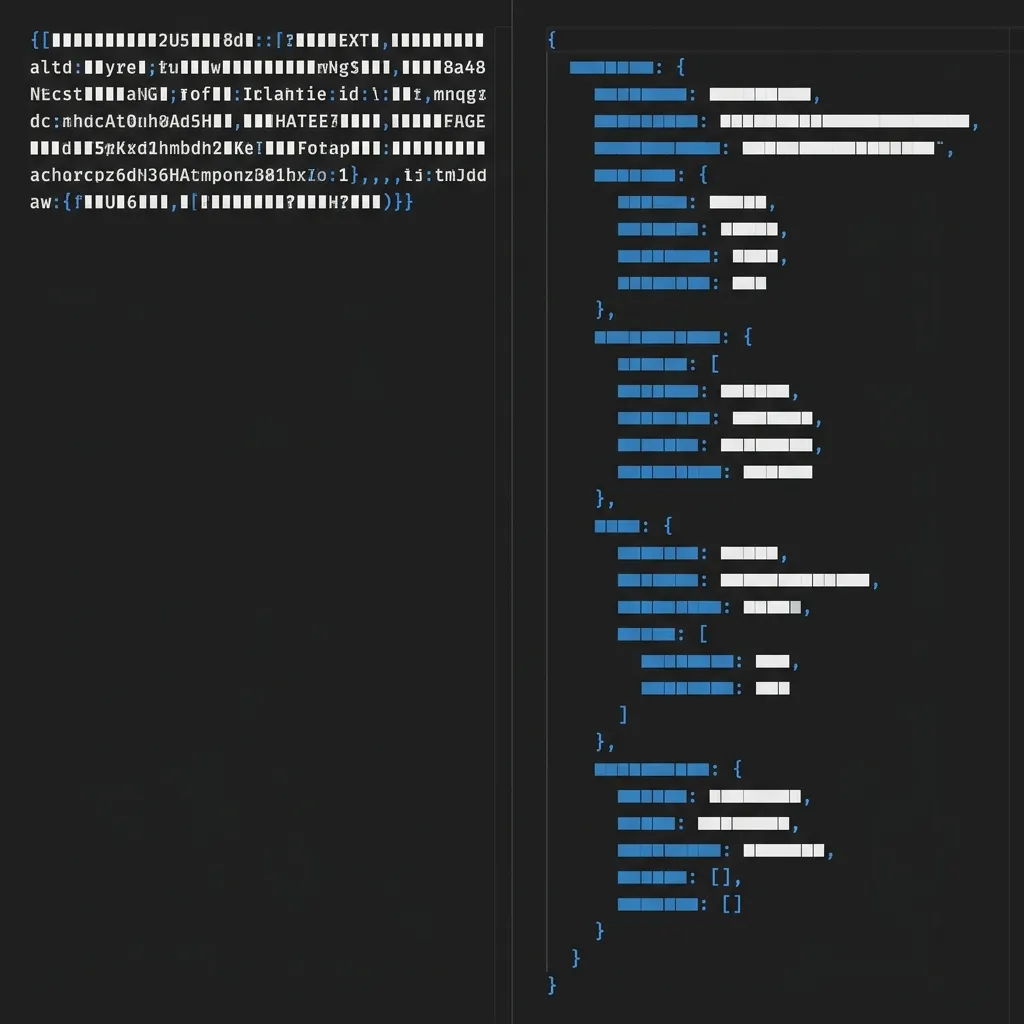
You are debugging a webhook payload from a third-party API at 2:00 AM. The response is a single line of minified JSON—3,400 characters long with absolutely no whitespace, no line breaks, and no indentation. Your eyes glaze over as you try to visually parse the massive text block to find the deeply nested key causing your application to crash. One click in a robust JSON formatter and the entire payload unfolds into a clean, readable, structurally indented format. The bug immediately reveals itself.
JSON formatting is one of the most frequent micro-tasks in software development. Whether you are a frontend engineer parsing a backend response, a DevOps engineer reading a configuration file, or a data analyst exporting a database, you will format JSON dozens of times per week. In this guide, we break down why formatting and validation are essential, the critical security risks of using cloud-based formatters, and how to safely streamline your debugging workflow.
  <h2>What is JSON Formatting?</h2>
  <p>JSON (JavaScript Object Notation) is the undisputed standard for data transfer across the modern web. However, how that data is transmitted versus how it is read by humans are two very different concepts.</p>
  <p><strong>Minified JSON</strong> has all unnecessary whitespace, line breaks, and tabs completely stripped out. It is compressed into a single dense string of text. This is the optimal state for data transfer; removing whitespace significantly reduces the overall payload size, ensuring faster API responses and lower bandwidth costs. However, it is fundamentally impossible for a human to read or debug effectively.</p>
  <p><strong>Formatted (or Beautified) JSON</strong> takes that dense string and injects structured whitespace. It applies consistent indentation (typically 2 or 4 spaces), inserts line breaks after every bracket and comma, and utilizes syntax highlighting to visually separate keys from string, boolean, or integer values.</p>
  <p>Both states are necessary. Production APIs will always send minified JSON to optimize server bandwidth, meaning developers will always need a quick way to convert those minified payloads into formatted JSON for human debugging.</p>

  <h3>Minified vs Formatted JSON Example</h3>
  <p>To understand the sheer difference in readability, look at this exact same data payload presented in both formats:</p>

  <p><strong>Minified (Before):</strong></p>
  <pre><code>{"user":{"id":1042,"name":"Sarah Chen","role":"admin","permissions":["read","write","delete"],"lastLogin":"2026-07-03T14:32:00Z"}}</code></pre>

  <p><strong>Formatted (After):</strong></p>
  <pre><code>{
"user": { "id": 1042, "name": "Sarah Chen", "role": "admin", "permissions": [ "read", "write", "delete" ], "lastLogin": "2026-07-03T14:32:00Z" } }
The data is identical, yet the formatted version allows your brain to instantly understand the hierarchical relationship between the user object and the nested permissions array.
  <h2>JSON Validation — What is it and Why Does it Matter?</h2>
  <p>Formatting makes data readable, but validation ensures it actually works. JSON is a notoriously strict data format. Unlike HTML, which fails gracefully if you forget to close a tag, a single misplaced character in a JSON file will cause the entire parsing process to fail, throwing a fatal error in your application.</p>
  <p>Common JSON syntax errors that developers battle daily include:</p>
  <ul>
    <li><strong>Trailing Commas:</strong> While a trailing comma after the last item in an array or object is perfectly valid in standard JavaScript, it is strictly forbidden in JSON.</li>
    <li><strong>Single Quotes:</strong> JSON strictly requires double quotes (<code>"</code>) for strings and keys. Single quotes (<code>'</code>) will immediately break the parser.</li>
    <li><strong>Unescaped Characters:</strong> Failing to properly escape line breaks (<code>
) or internal quotes within a string value.
{} or array [].// or /* */). Including them will invalidate the file.When debugging a massive 5,000-line JSON payload, finding a single trailing comma by hand is impossible. A dedicated JSON Validator instantly parses the structure and pinpoints the exact line and column number of the syntax error, saving you hours of frustrating manual code review.
  <h2>Use Cases: When Developers Need JSON Formatters</h2>
  <p>Specific, real-world development scenarios dictate exactly when a formatting tool becomes indispensable:</p>
  <ol>
    <li><strong>Debugging REST API Responses:</strong> When building a frontend client, you constantly need to inspect raw <code>axios</code> or <code>fetch</code> responses to understand the data structure you are mapping.</li>
    <li><strong>Reading Webhook Payloads:</strong> Third-party services like Stripe, GitHub, and Zapier send massive JSON webhooks to your endpoints. To process them, you must first format the payload to understand the nested keys.</li>
    <li><strong>Inspecting Browser Storage:</strong> Debugging complex state saved in <code>localStorage</code> or <code>sessionStorage</code> directly within Chrome DevTools often requires copying the minified string into an external formatter.</li>
    <li><strong>Configuration Files:</strong> Managing complex <code>.json</code> config files (like <code>package.json</code>, <code>tsconfig.json</code>, or Next.js configurations) requires pristine formatting to avoid build errors.</li>
    <li><strong>Pre-Flight Validation:</strong> Validating the exact JSON request body you plan to send to an API before executing the <code>POST</code> request (serving as a quick Postman alternative).</li>
    <li><strong>Database Exports:</strong> Reviewing raw JSON data dumps exported from NoSQL databases like MongoDB, Firebase, or Supabase.</li>
    <li><strong>API Documentation:</strong> Parsing and understanding complex, poorly documented third-party API examples.</li>
    <li><strong>Structured Data:</strong> Debugging JSON-LD structured data scripts injected into web pages for technical SEO purposes.</li>
  </ol>

  <h2>The Privacy Risk of Cloud-Based JSON Formatters</h2>
  <p>This is a critical blind spot for many developers. Developer tools inherently handle highly sensitive data, yet thousands of developers casually paste their payloads into random online formatters without a second thought.</p>
  <p>The vast majority of popular online JSON formatters execute the formatting logic on their backend servers. When you paste your data and hit "Format", you are physically sending your payload across the internet to a third-party server. This is a massive security and privacy risk because JSON payloads routinely contain:</p>
  <ul>
    <li>Live API keys, JWTs, and authentication tokens</li>
    <li>User PII (Personally Identifiable Information like names, emails, and home addresses) from raw database exports</li>
    <li>Internal system architecture and database schema information</li>
    <li>Business-sensitive financial data (especially when inspecting Stripe or PayPal webhooks)</li>
  </ul>
  <p>The NoStorePDF <a href="/json-formatter">JSON Formatter</a> eliminates this risk entirely. It relies on advanced client-side processing, meaning the formatting and validation engines run directly inside your browser's memory. There is absolutely zero network request made during the formatting process. Your sensitive JSON never leaves your machine. This local-only processing is absolutely vital when debugging production API traffic or handling database exports containing live user data.</p>

  <h2>How to Format JSON Online (Step-by-Step)</h2>
  <p>Streamlining your debugging process is simple and entirely secure when utilizing client-side tools. Here is how to format and validate your payloads instantly using the <a href="/json-formatter">JSON Formatter</a>:</p>
  <ol>
    <li><strong>Access the Tool:</strong> Open the <a href="/json-formatter">JSON Formatter</a> page in your browser. Because it runs locally, it loads instantly.</li>
    <li><strong>Input Your Data:</strong> Paste your minified, messy, or malformed JSON string directly into the primary input panel.</li>
    <li><strong>Instant Beautification:</strong> The formatter instantly parses the string and outputs beautifully indented, syntax-highlighted code.</li>
    <li><strong>Identify Errors:</strong> If your JSON contains a syntax error (like a trailing comma or a single quote), the built-in validator will immediately flag it, highlighting the exact line and column number where the parser failed.</li>
    <li><strong>Live Editing:</strong> Fix the syntax error directly in the input panel. The validator will automatically re-run and clear the error once the code is strictly compliant.</li>
    <li><strong>Export:</strong> Click to copy the perfectly formatted JSON to your clipboard, or download it directly as a <code>.json</code> file to your local machine.</li>
    <li><strong>Reverse the Process:</strong> If you are done debugging and need to prepare the payload for production deployment, simply paste it into a <a href="/json-minifier">JSON Minifier</a> to instantly strip all whitespace and compress it back into a single line.</li>
  </ol>

  <h2>Related JSON Tools for Your Workflow</h2>
  <p>A well-rounded developer toolkit requires more than just formatting. Integrate these related utilities to handle any JSON-related task:</p>
  <ul>
    <li><strong><a href="/json-validator">JSON Validator</a>:</strong> A dedicated environment for strict syntax checking with highly detailed error messaging for complex debugging.</li>
    <li><strong><a href="/json-minifier">JSON Minifier</a>:</strong> The inverse of a formatter. Instantly strip all whitespace, tabs, and line breaks from a JSON file to minimize file size before deploying to a production server.</li>
    <li><strong><a href="/json-to-csv">JSON to CSV</a>:</strong> Seamlessly convert complex JSON arrays into a flat spreadsheet format, perfect for importing database exports into Microsoft Excel or Google Sheets for business data analysis.</li>
  </ul>

  <h2>JSON Formatting Best Practices</h2>
  <p>To avoid syntax headaches and maintain a clean codebase, adhere to these standard developer best practices:</p>
  <ul>
    <li><strong>Use 2-Space Indentation:</strong> While 4 spaces used to be common, 2-space indentation is the universally accepted standard within the modern JavaScript/TypeScript ecosystem for JSON files.</li>
    <li><strong>Always Validate Before Deployment:</strong> Never deploy a hardcoded <code>.json</code> configuration file without running it through a strict validator first. A single missing quote will crash your CI/CD pipeline.</li>
    <li><strong>Protect Sensitive Logs:</strong> Never <code>console.log()</code> raw JSON payloads containing API keys or user tokens into your browser console or server logs where they can be scraped.</li>
    <li><strong>Use JSON Schema:</strong> If you are building a robust API, implement JSON Schema validation in your backend to automatically validate incoming JSON structures before processing them.</li>
    <li><strong>Format in Dev, Minify in Prod:</strong> Always pretty-print your JSON in local development logs for easy reading, but ensure your server automatically minifies all outgoing JSON responses in production to save bandwidth.</li>
  </ul>

  <h2>Frequently Asked Questions</h2>
  <div>
    <div class="mb-3 mt-4">
      <h3 class="h5 fw-bold">What is the difference between JSON formatting and JSON validation?</h3>
      <div>
        <p>JSON formatting (or beautifying) is strictly visual; it adds whitespace, indentation, and line breaks to make the data easily readable by humans. JSON validation is structural; it parses the data against the strict JSON specification to ensure there are no syntax errors (like missing quotes or trailing commas) that would cause a computer parser to crash.</p>
      </div>
    </div>
    <div class="mb-3">
      <h3 class="h5 fw-bold">Is my JSON data safe when I use an online formatter?</h3>
      <div>
        <p>It depends on the tool. Many traditional online formatters upload your data to a backend server, which is a massive security risk for API keys and PII. However, using a local, browser-based tool like the NoStorePDF JSON Formatter guarantees 100% privacy because the formatting script runs entirely in your browser memory and never transmits your data across the internet.</p>
      </div>
    </div>
    <div class="mb-3">
      <h3 class="h5 fw-bold">What are the most common JSON syntax errors?</h3>
      <div>
        <p>The most frequent errors developers make include leaving a trailing comma after the last item in an object or array, using single quotes instead of double quotes for strings and keys, failing to properly escape internal quotation marks, and attempting to include comments (which are not supported in standard JSON).</p>
      </div>
    </div>
    <div class="mb-3">
      <h3 class="h5 fw-bold">Can I format JSON with comments (JSONC)?</h3>
      <div>
        <p>Standard JSON strictly forbids comments. However, some specific development environments (like VS Code's settings files or TypeScript's tsconfig.json) use a variation called JSONC (JSON with Comments). A standard strict JSON validator will flag these comments as syntax errors, so they must be removed before standard parsing.</p>
      </div>
    </div>
    <div class="mb-3">
      <h3 class="h5 fw-bold">What is the difference between JSON and JSON5?</h3>
      <div>
        <p>JSON is the strict, standard specification used globally for API data transfer. JSON5 is an unofficial, extended specification designed specifically to be more forgiving for humans to write. JSON5 allows for trailing commas, single quotes, unquoted keys, and comments, but it cannot be parsed by standard native JSON parsers without a dedicated JSON5 library.</p>
      </div>
    </div>
    <div class="mb-3">
      <h3 class="h5 fw-bold">How do I format JSON in VS Code without an online tool?</h3>
      <div>
        <p>If you have the file open locally in Visual Studio Code, you can format it without leaving your editor. On Windows, press Shift + Alt + F. On macOS, press Shift + Option + F. The editor will automatically apply the indentation settings defined in your workspace configuration.</p>
      </div>
    </div>
  </div>

  <h2>Conclusion</h2>
  <p>Formatting JSON is a developer micro-task that should take exactly one second, not five minutes of manually squinting at a minified text string.</p>
  <p>Whether you are debugging a broken webhook at midnight or preparing a complex configuration file for deployment, having instant access to a secure, local tool is essential for maintaining your velocity. Stop risking your sensitive API keys on cloud-based servers and bookmark our completely private, browser-based <a href="/json-formatter">JSON Formatter</a> to instantly validate, format, and debug your data with zero risk.</p>